
Quick answer
- The best Discord alternative is the one that fixes the specific problem your guild has today, not the one with the longest feature list.
- Decide on five things first: how many people talk at once, which games you play, who pays, who runs the server, and how you organise people during an event.
- Test every candidate on one real event with your officers before you ask the whole guild to move.
- Many guilds keep Discord for community chat and add a second tool for voice or event running, rather than replacing it outright.
What a Discord alternative has to do for a guild
A guild does not need "a chat app". It needs a place where three different jobs get done:
- Talking during play. Clear voice when it matters, with the right people hearing the right calls.
- Organising. Who is coming, which character they bring, which party they are in, who leads.
- Staying a community. Chat between sessions, announcements, new members finding their feet.
Discord is often the default because people already have it installed. When leaders search for an alternative to Discord, it is usually because one of those three jobs is not working for them. Name that job first. If your raid calls get lost in crosstalk, you need a voice fix. If half your signups are in a spreadsheet and the other half in reactions, you need an organisation fix. If your members simply do not want to install anything new, you may not need to switch at all.
The questions that decide it
Work through these with your officers. Write the answers down. They become your checklist for every tool you look at.
How big is the group that talks at once?
A static group of ten and an alliance siege with several hundred players are different problems. Count your largest regular event, not your member list. Then ask the candidate tool's documentation directly how many people can share one voice space, and what happens to sound quality and moderation at that size.
Do you need more than one voice layer?
In a large fight, the commander needs to reach everyone, party leaders need their own line, and parties need to talk among themselves without drowning out orders. Some tools handle this with channels people move between. Others handle it differently. Find out how a tool lets one person speak to everyone while others keep their own conversation, and how many keys your players will need to press.
Which games and platforms?
Check which operating systems each tool runs on and whether your members play on PC only or also on console or mobile. A tool that half your guild cannot install is not an option, however good it is.
Who pays, and who runs it?
Some tools are hosted for you. Others expect someone to rent or run a server. Before you choose a self-run option, name the person who will keep it updated and decide what happens when that person takes a break from the game. Money is the smaller cost. Admin time is the larger one.
How many languages does your guild speak?
International alliances lose people when announcements are only in one language. If this is you, check what each tool does for members who read a different language.
What is the one problem you are fixing?
Write it as one sentence. "Our siege calls get lost" or "Nobody knows which party they are in until the event starts." Every tool you test gets judged against that sentence first.
The tools guild leaders weigh
These are the names that come up most when leaders compare voice and chat for groups. We have not listed features or limits for them, for the reason in the note above. Instead, the table shows what to check for each one.
Table: What to check before you choose
| Tool | What to check on its official pages |
|---|---|
| Discord | Voice channel limits for your event size, what is free and what is paid, any recent policy changes that affect your members |
| TeamSpeak | Current version, whether you rent or run a server, licence terms for your group size |
| Mumble | How you host it, which clients your members' systems support, who on your team can run it |
| Ventrilo | Current status of the software and hosting, which systems it supports |
| Warcryer (this site is Warcryer's own) | Whether a roster-based way of running voice fits how you lead events; see below |
We keep feature-by-feature pages for some of these: Warcryer compared gathers them, with separate pages on Warcryer and TeamSpeak, Warcryer and Discord, Warcryer and Mumble and Warcryer and Ventrilo. Read them knowing they are written by us.
There are also newer, chat-first platforms that people suggest in threads about the best Discord alternative. Treat any new Discord alternative the same way: confirm on its own site that it exists, that it is maintained, and that it does what your one-sentence problem needs.
Warcryer, briefly
Warcryer is our app, so here is only what it does. It is a Windows app (Windows 10 and 11) for running a clan or alliance in MMO-style games, with voice built in. It is free while in beta, and its Windows app is open source. An alliance holds clans, with roles for alliance admins, clan leaders, officers and event leaders. Instead of picking a channel, a player's place on the roster decides which voice nets they hear and may speak on (Broadcast, Command, Clan, Party, Reserve), each net with its own push-to-talk key, and moving a player on the roster moves their voice. Text chat is translated for each reader into their own language, and the app itself is in fourteen languages. It can post announcements and reminders to a Discord channel, so it can sit beside an existing Discord server rather than replace it.
Discord vs TeamSpeak: settling it for your group
The Discord vs TeamSpeak argument comes up in nearly every guild sooner or later. It rarely ends with a winner, because people are arguing about different jobs. Settle it with a test, not a debate.
- Run the same event type twice, once on each.
- Ask your shotcaller and two party leaders, not the loudest members, which one let them do their job.
- Ask your newest member which one was easier to join.
- Check what each one would cost your guild at your real size, from the official pages, on the day.
If the answers split, that usually means each tool is better at a different job. That is when guilds keep one for community and use the other for events.
What about alternative Discord clients?
Some searches for an alternative Discord client are about third-party apps that connect to Discord itself. That is a different decision from leaving Discord. Before anyone in your guild uses one, read Discord's own terms and help pages on unofficial clients, and decide as officers whether you are willing to accept the risk for your members' accounts. Do not recommend one in your announcements without checking first.
How to test a tool on a real event
A tool that looks good on a feature page can fail in the first ten minutes of a fight. Test it properly.
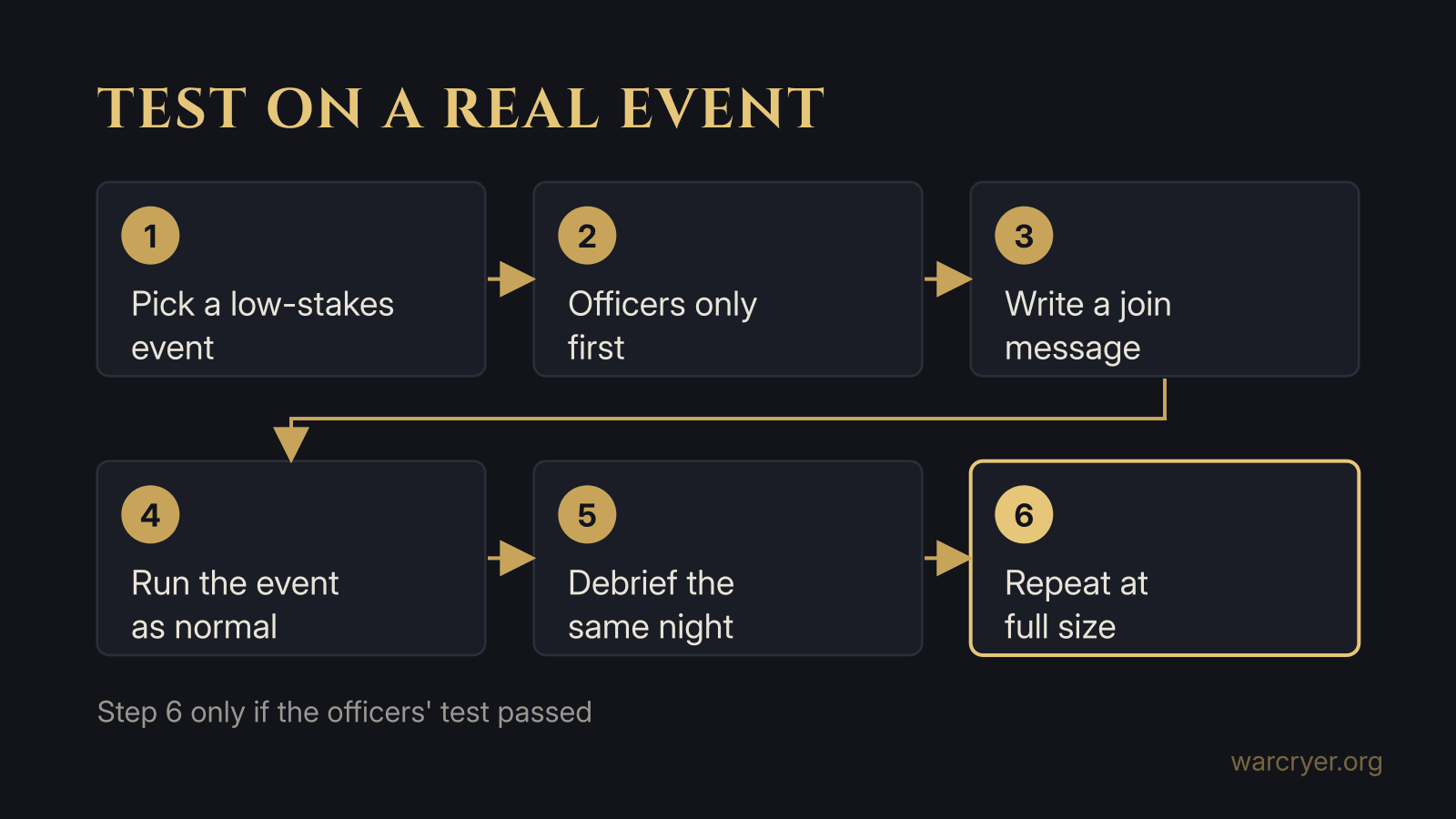
- Pick a low-stakes event. A farm run or a practice night, not your progression raid.
- Bring officers only first. Five to ten people find the setup problems without fifty people watching.
- Write a join message. Keep it short so members can follow it without asking.
- Run the event as normal. Do not change your tactics to suit the tool.
- Debrief the same night. What broke, what was slow, what was better.
- Repeat at full size only if the officers' test passed.
A join message you can copy and adapt:
Tonight we are testing [tool] for voice.
1. Install: [link]
2. Join: [invite link]
3. Push-to-talk key: set it before the event.
Stuck? Post in #help and an officer will sort it.
We still use Discord for chat as usual.
If you are trying Warcryer, the guide to your alliance's first hour covers setup through a first planned operation, and the guide for members is the page to send players for installing, signing in and talk keys.
Moving a guild without losing people
The tool is the easy part. Moving people is where guilds bleed members.
- Do not switch everything at once. Move voice for events first and leave community chat where it is for a while.
- Explain the reason in one line. "Siege calls keep getting lost, this fixes that." People accept change that solves a problem they have felt.
- Give a date. An open-ended "we might move" leaves people half in two places.
- Keep a fallback. If the new tool fails during an event, everyone should know where to go.
- Ask again after a month. If the new tool did not fix your one-sentence problem, admit it and go back. A guild trusts leaders who reverse a bad call.
Questions
What is the best Discord alternative for gaming?
There is no single best one for every group. The right Discord alternative for gaming depends on how many people talk at once, which systems your members use, who pays and who runs it, and what problem you want to fix. Write that problem down as one sentence and test two or three candidates against it on a real event.
Is TeamSpeak better than Discord for a guild?
It depends on the job. Some guilds prefer one for events and the other for community chat. Compare them on your own events, ask your shotcaller and newest members which worked better, and check current costs and terms on each official site before you decide.
Is there a free alternative to Discord?
Several tools have free options, but terms and limits change, so check each official site on the day you decide. Also count the time someone will spend running it, because a free tool that needs a self-run server still costs an officer's evenings.
Should we leave Discord completely?
Often not. Many guilds keep Discord for chat and announcements because members already have it, and add another tool for voice or for running events. Leave entirely only if Discord itself is the problem you are fixing.
What do people on Reddit recommend as a Discord alternative?
Threads change quickly and often mix advice for friend groups with advice for large guilds. Use them to build a shortlist of names, then confirm each one on its own official site and test it with your officers before trusting any recommendation.